ZipZap app home screen on a phone, showing a Suzuki Swift listing with its location and a "Start sharing" button

First-in-market sharing ecosystem

Product design

Aug – Dec 2025

ZipZap is Singapore's first car subscription service, run by the team at GetGo Carsharing.

We introduced Subscribe & Share shortly after launch, whereby subscribers could list their car on the GetGo carsharing platform whenever they weren't using it, earning back a fraction of their monthly subscription fee.

Before this project, the entire process was handled manually via WhatsApp and Slack, coordinated by Sales, Ops, and Support. A subscriber who wanted to list their car, or change a date they'd already listed, had to message Sales directly on WhatsApp and wait for someone to manually check it against the scheduling rules before anything happened.

That created three problems:

  1. friction for the subscriber, who couldn't check availability or make a change themselves;
  2. a hard ceiling on scalability, since every single listing needed the wholeeeee team on it; and
  3. a high margin for error, since the scheduling rules were being enforced by memory and manual cross-checking instead of a system.

The goal

Design an MVP web app that lets subscribers manage their own sharing availability, cutting the operational load on our internal teams, in roughly four months to hit a November PR launch.

Discovery

With a strict 4-month deadline, we bypassed a formal generative research phase and instead leaned on Sales and Ops as proxy users. Since they were acting as the "human UI" on WhatsApp, they had insights on where users got stuck.

The bottleneck came from a frequent pattern that we used to shape the features of the web app:

  1. users frequently needed to adjust the time and duration of their listings,
  2. Subscribe & Share's built-in scheduling rules were hard for anyone to calculate manually,
  3. and Ops staff often had to double-check dates themselves to prevent conflicts - lest we risk operational complications for both the subscriber, as well as the users on GetGo looking to use the vehicle.

Core challenge

The central interaction was the calendar where subscribers set their sharing listings, governed by five business rules:

  • Minimum sharing duration: 72 hours
  • Advance notice: 5 days
  • No overlap with an existing booking
  • Back-to-back bookings: must start the next calendar day
  • Modification lock: 24 hours before a listing begins

If these rules were broken, it could create operational issues or conflicts with the GetGo booking system.

Shaping the approach

FMS – GetGo's fleet management system – could already block a car from being booked on our carsharing platform. What Subscribe & Share added was automating that block on FMS the moment a subscriber confirmed dates on the calendar.

Tied with initial automation constraints, our FMS would not be able to flag listings that do not adhere to the scheduling rules. This means that the scheduling logic on the web app would have to account for them.

My focus was making sure the user-facing experience was simple, intuitive, and reliable.

Prevent errors instead of reacting to them
I didn't land on the final scheduling design immediately. I had to explore how best to handle these strict rules without frustrating the user.

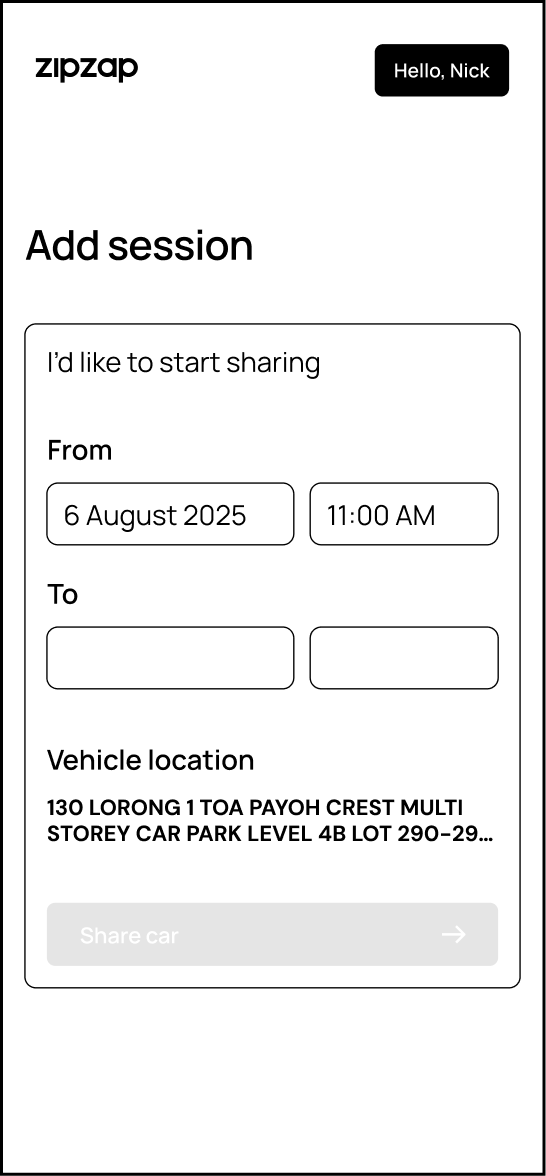
Iteration 1: "Add session" screen with standard date and time input fields
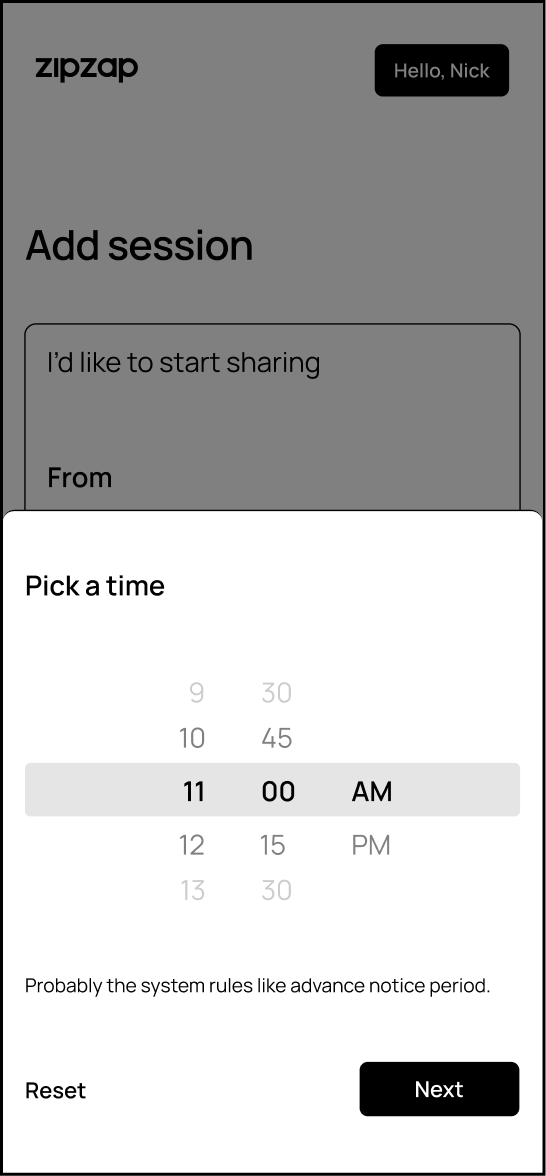
Iteration 1: time-picker modal shown when setting a session's time

Iteration 1

Standard Inputs were scrapped quickly.

Standard date-picker fields pushed the mental math onto the user, forcing them to guess which dates fit the rules.
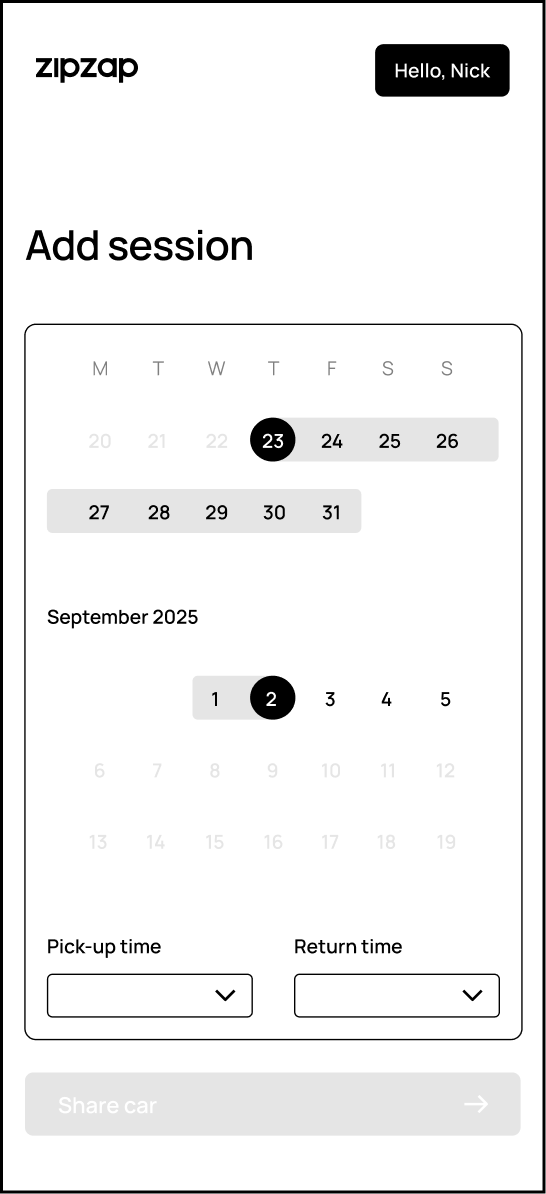
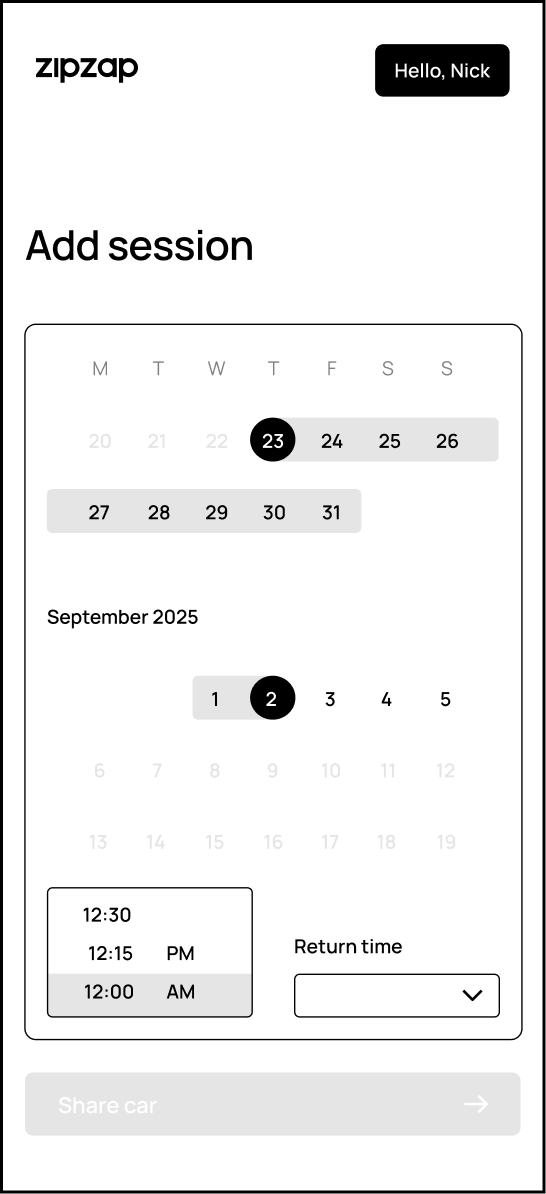
Iteration 2: "Add session" screen with a calendar date picker and separate pick-up/return time dropdowns
Iteration 2: return-time dropdown open on the same screen

Iteration 2

Redesigned so invalid dates and times simply weren't selectable, rather than allowing a bad selection and showing an error afterward. Defensive, instead of reactive.

Iteration 3

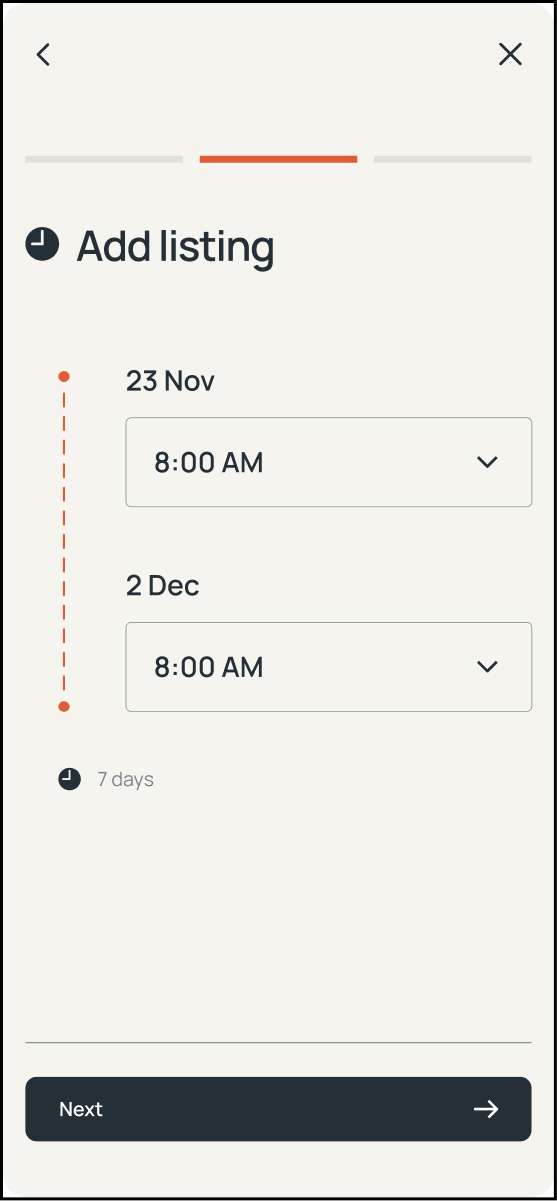
Broke the flow into steps to reduce cognitive load – once a date range is picked, the users tap onto to the next page to set their pickup/return times next.
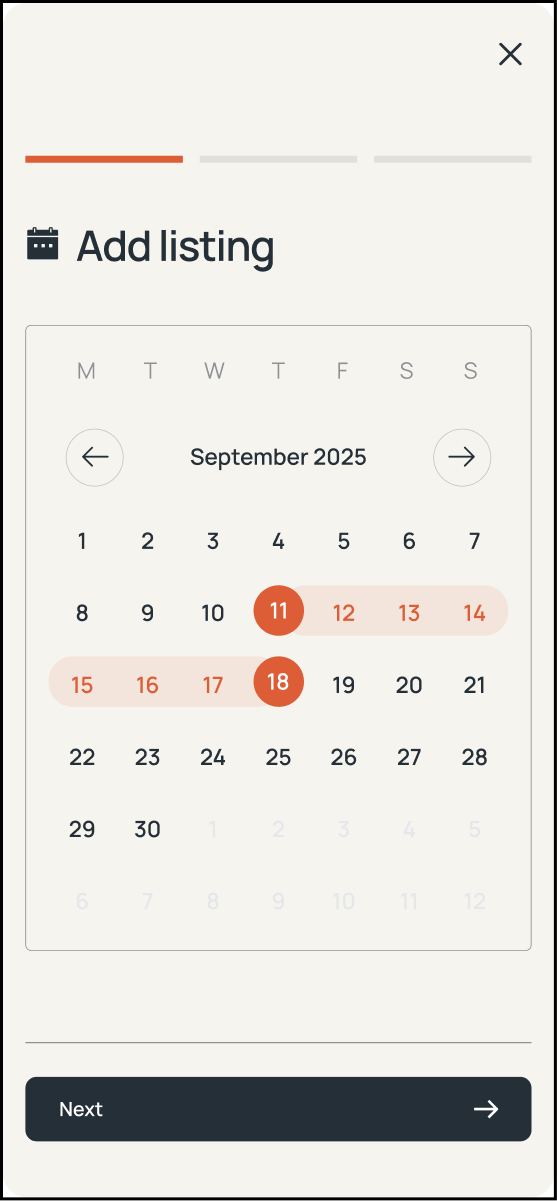
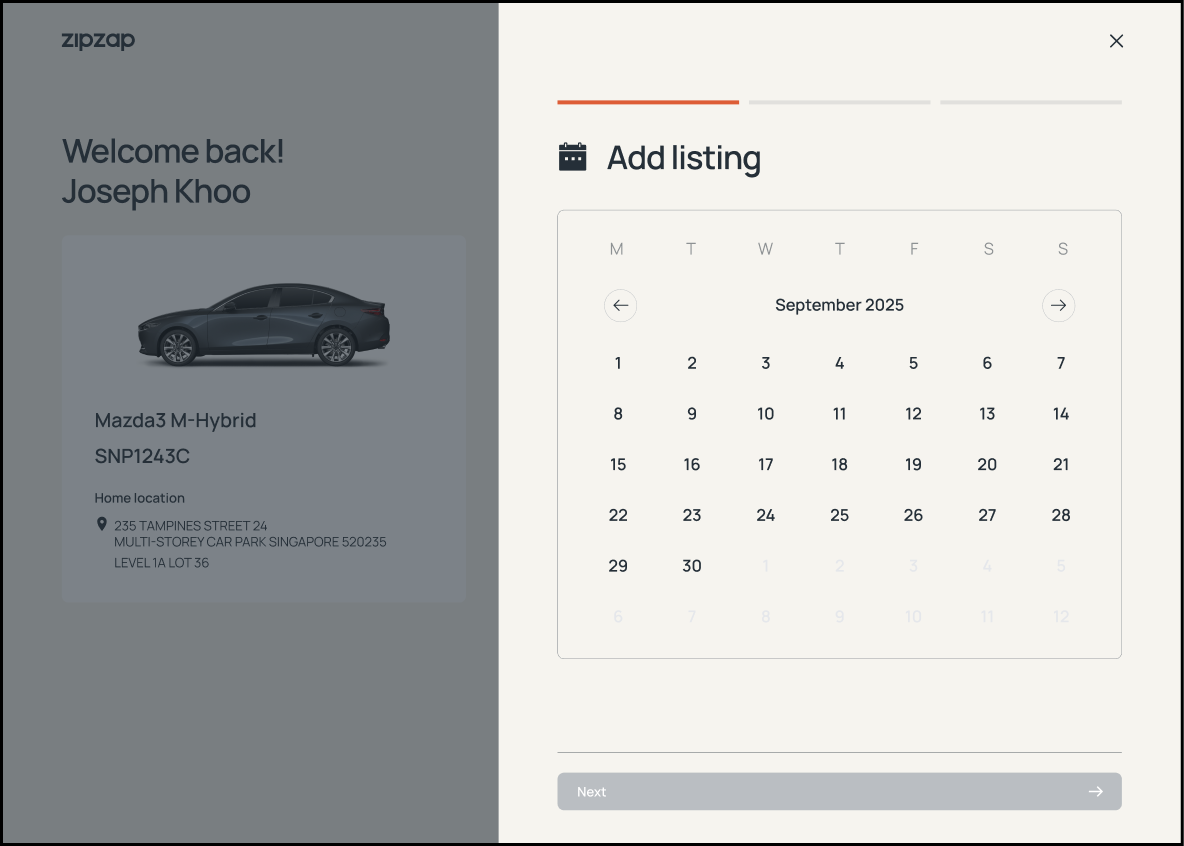
Iteration 3, step 1: "Add listing" calendar with the sharing date range selected directly on the dates
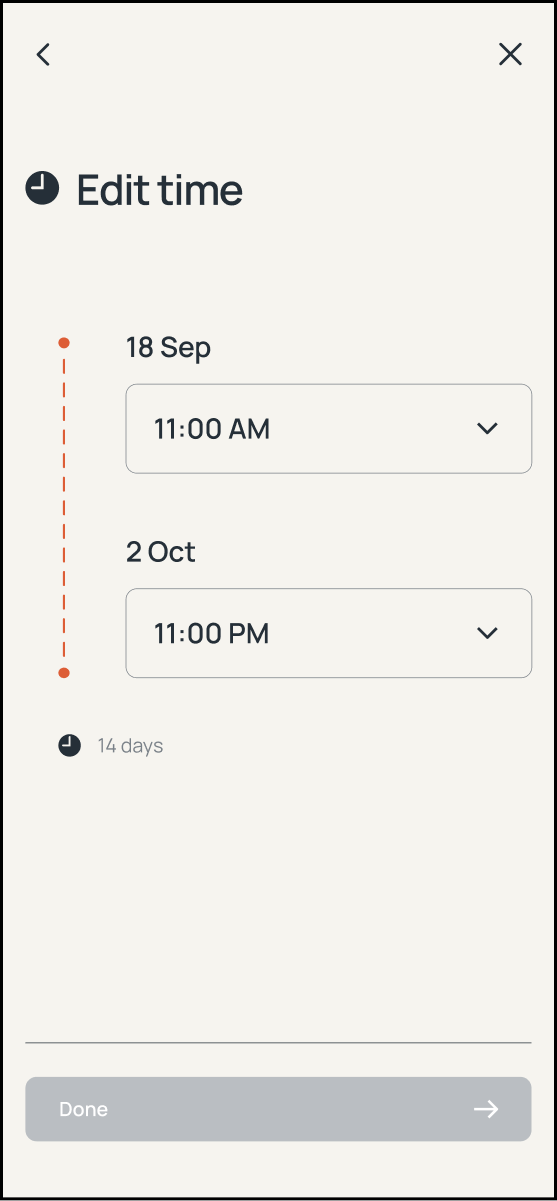
Iteration 3, step 2: date and time shown as a connected timeline summarizing the listing duration

Edit flow

Editing turned out more complex than creating. The system had to account for existing sharing blocks, future scheduled blocks, the advance notice rule, and the modification lock window all at once – and edits could hit each of these differently depending on how far out the listing was.

Edge case considerations

Does the 5-day notice period apply the same way whether a subscriber is moving a start date earlier or later? Our QA team testing the flow flagged this, and it turned out the two directions needed different rules.

The notice period exists so ops has enough lead time to prepare for the blackout – so moving a start date earlier has to clear a fresh 5-day check from the day of the edit, since it eats into that lead time. Moving it later doesn't need that check at all: the listing already cleared notice when it was first created, and pushing the date back only gives ops more time to prepare, never less.

So the rule ended up asymmetric: no moving earlier unless the new date clears a fresh 5-day window from today, but moving later is always allowed.

That distinction wasn't in the original spec – it only surfaced once I worked through what the notice period was actually protecting against, instead of treating it as one flat number applied the same way in both directions.

Proposed solution

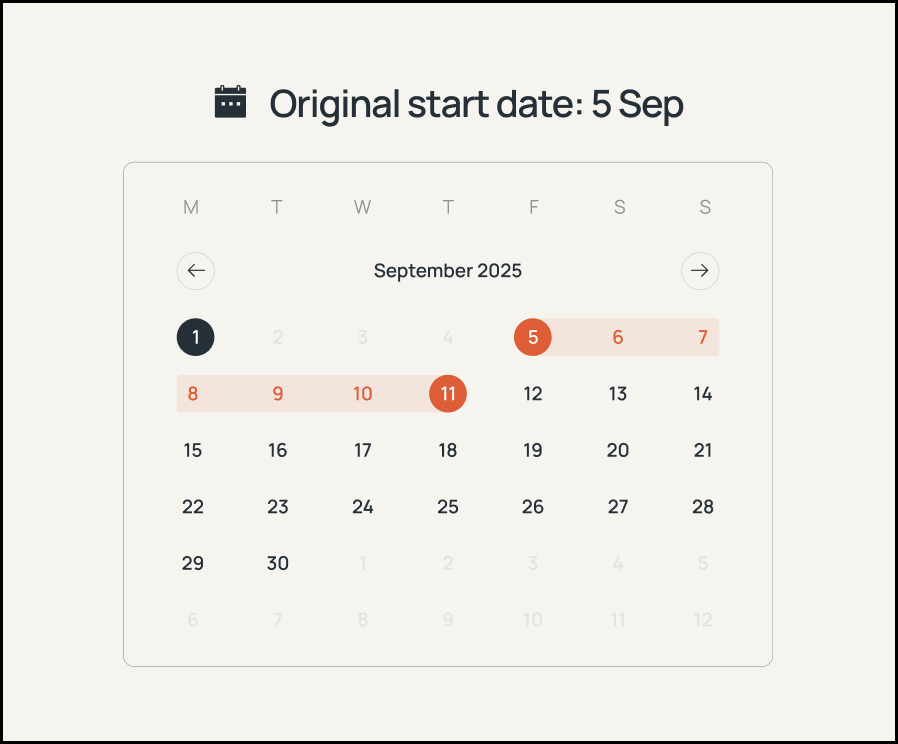
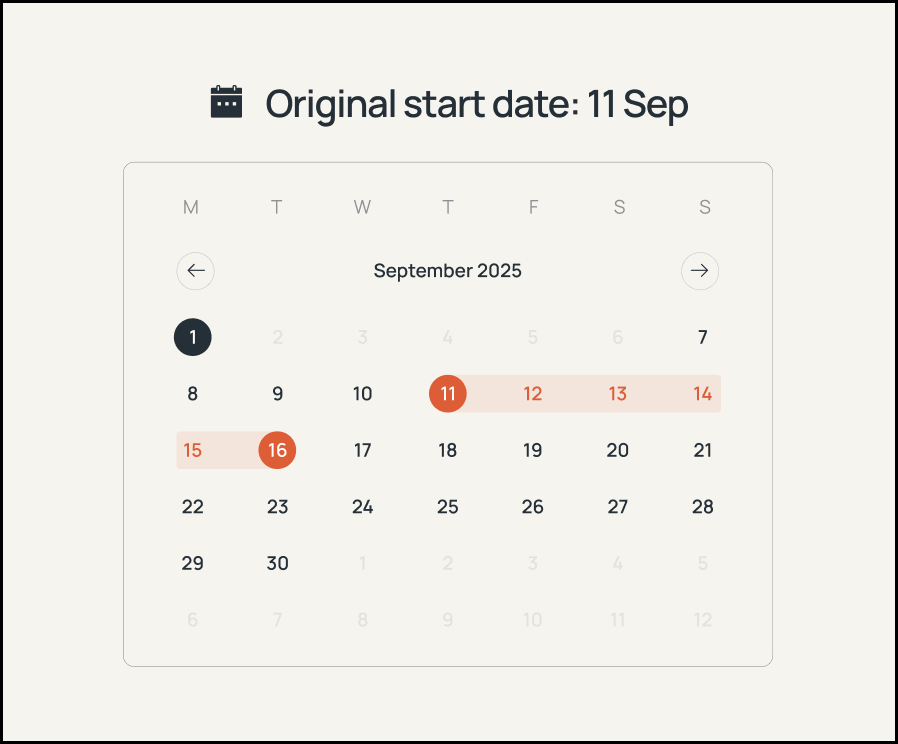
An example: Assuming user is trying to edit their listing on 1 Sep 2025:

Case A: calendar showing an original start date of 5 Sep with earlier dates locked out by the notice-period rule
Case B: calendar showing an original start date of 11 Sep with earlier dates still selectable, since it falls outside the notice window

Case A: Original start date falls inside the 5-day notice window – listing cannot be moved any earlier, but can be moved later to 6 Sep, although it falls within the window as well.

Case B: Original start date falls outside the 5-day notice window – business as usual – listing can be moved earlier, from 7 Sep – day 6, onwards.

Collaborating with engineers

Engineers flagged a risk that users might assume edits were saved after tapping "Done" in the date/time editor, even though nothing committed until "Update Session."

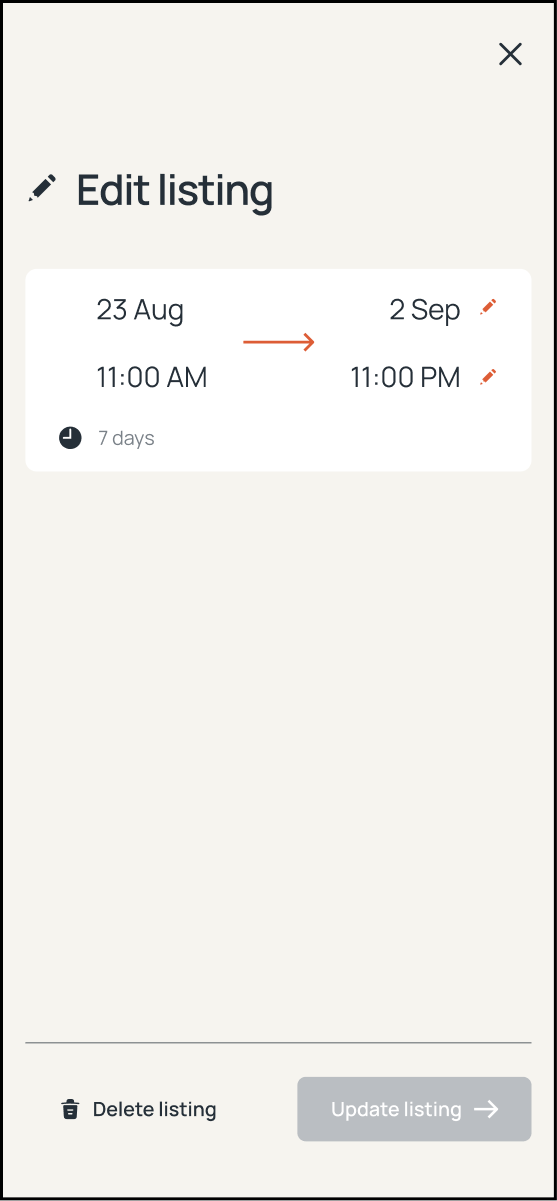
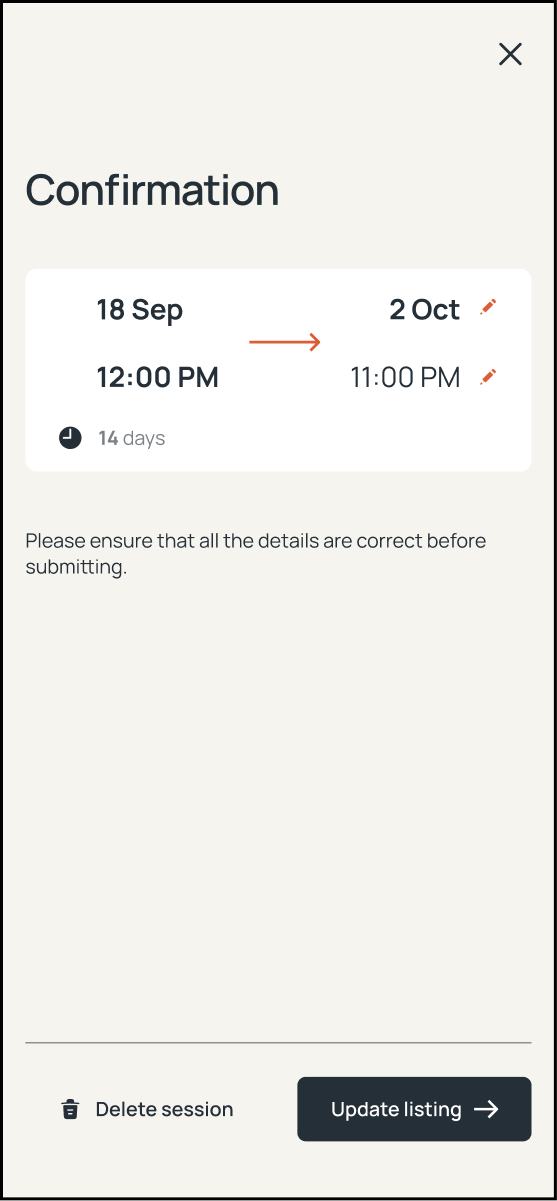
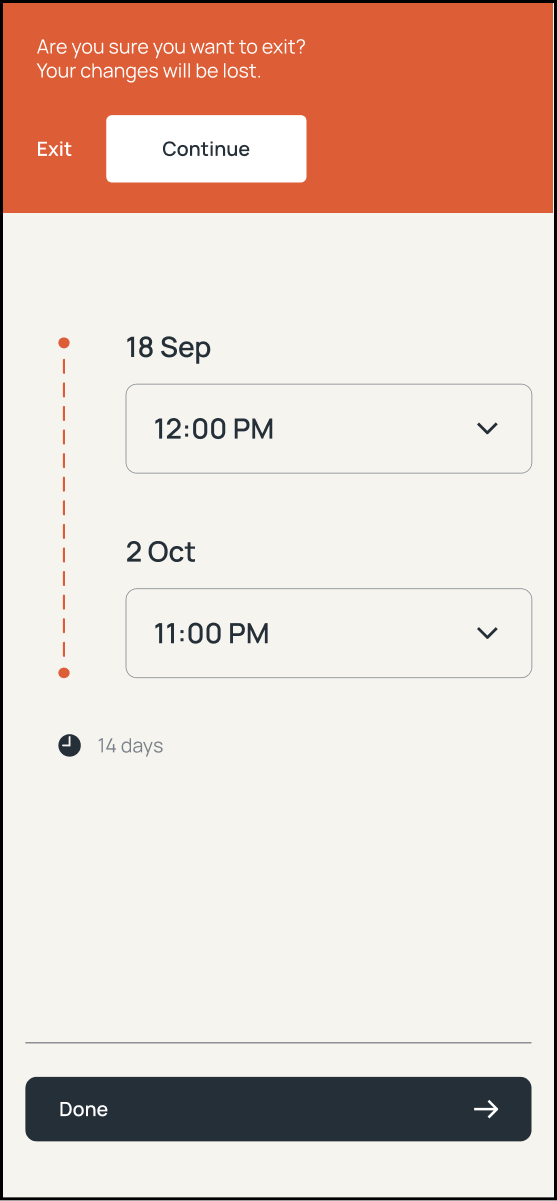
We implemented a staged edit flow – changes bolded and summarized on a review screen, the Update CTA only enabled once edits were detected, and a confirmation alert if users tried to exit early.

Edit listing review screen showing the current date and time range, with Delete and Update actions
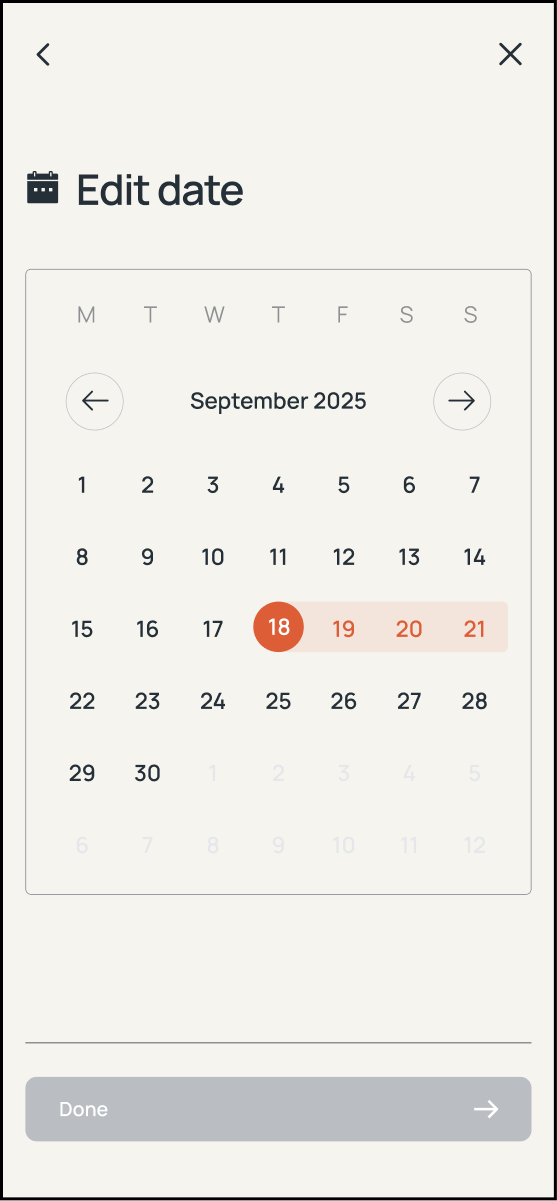
Edit date calendar with a new date range selected, Done button still disabled until confirmed
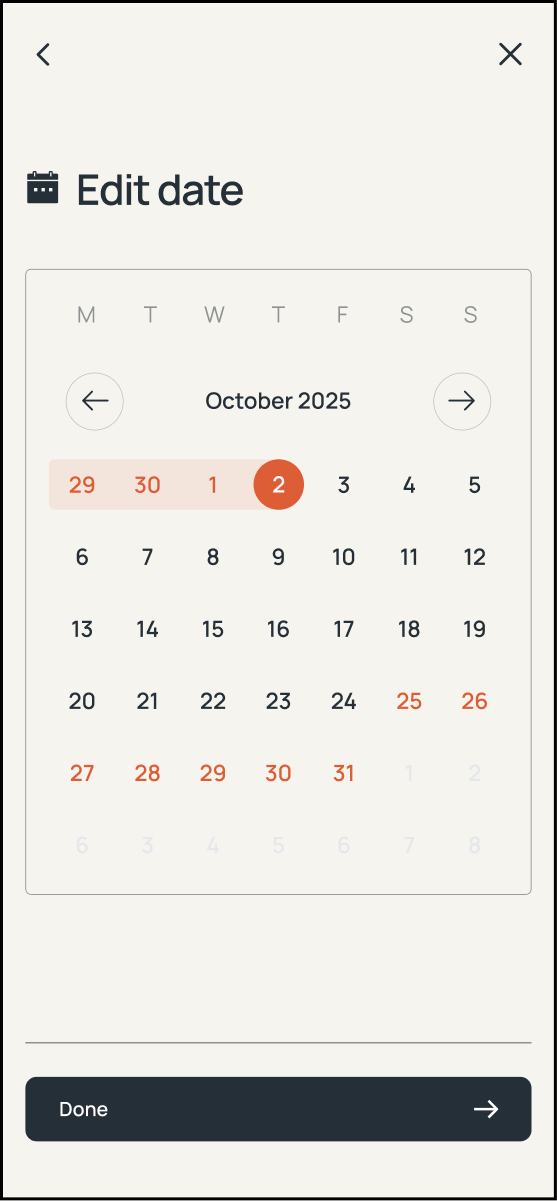
Edit date calendar for choosing a new end date
Confirmation screen summarizing the edited date and time before the update is submitted
Exit-confirmation prompt warning that unsaved edits will be lost if the user leaves the flow
Edit time screen for adjusting the pick-up and return times of an existing listing

Outcome

  1. Launched successfully in time for ZipZap's November PR announcement
  2. The web app now supports roughly 40 subscribers – of which about 25 are active – self-managing 70+ scheduled listings, with no added Ops or Sales headcount.
    1. Up from a process where Sales could reasonably coordinate maybe 6–8 subscribers by hand
  3. Removed the operational bottleneck – subscribers manage their own availability without staff coordination and WhatsApp
  4. Freed Sales and Ops from manual listing coordination, redirecting their time to onboarding and support

Final thoughts

Given more runway, I'd have pushed for at least a small round of real generative research with actual subscribers rather than relying entirely on Ops as proxy users – they knew where users got stuck operationally, but couldn't tell me how someone unfamiliar with the scheduling rules would react to the interface on first contact. I'd also have pushed to get the handover step automated sooner – ops still has to review and approve every vehicle-condition form by hand before a car's blackout goes live, so the one part of this experience that felt fully self-serve on the front end was still gated by a manual check on the back end.

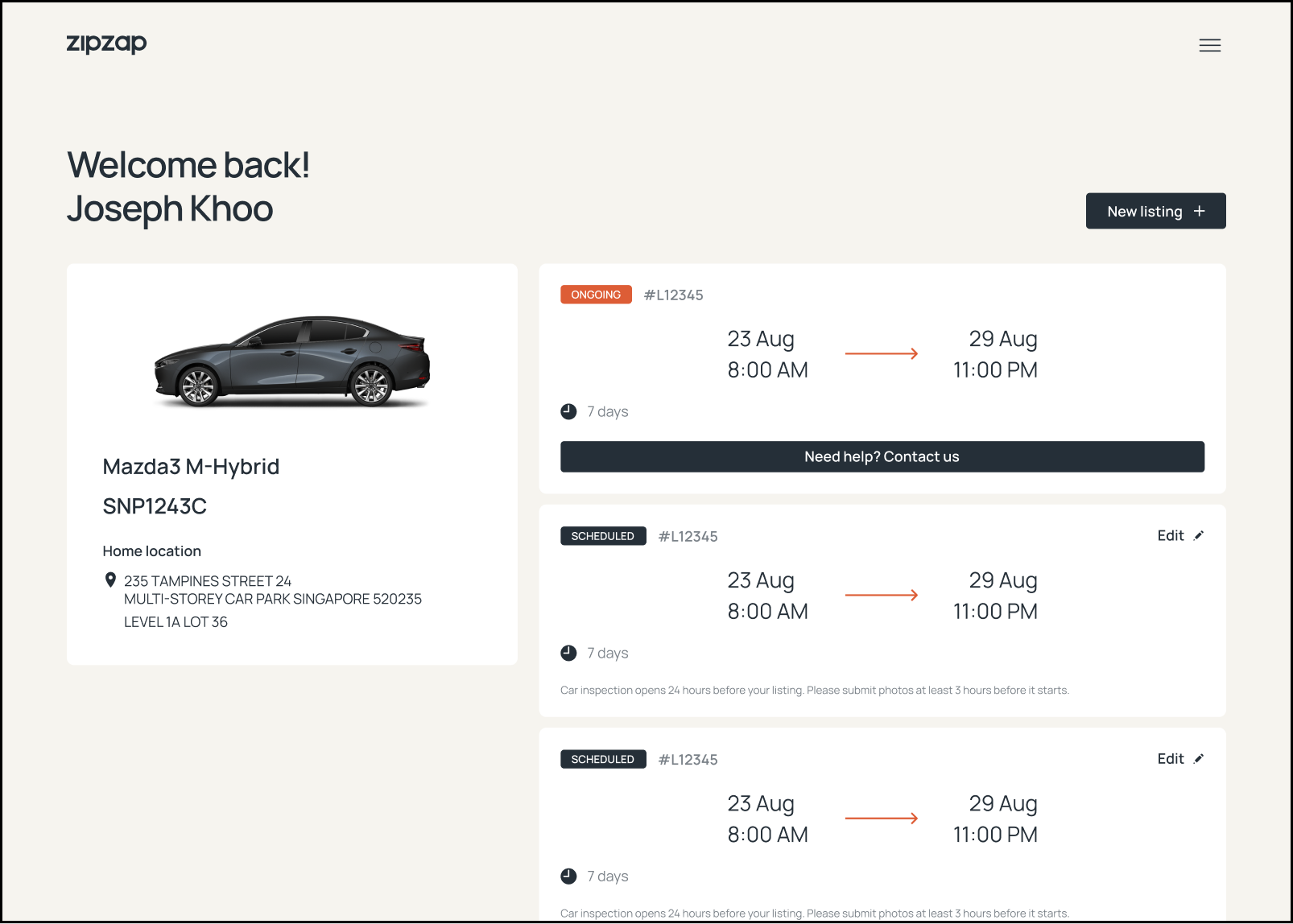
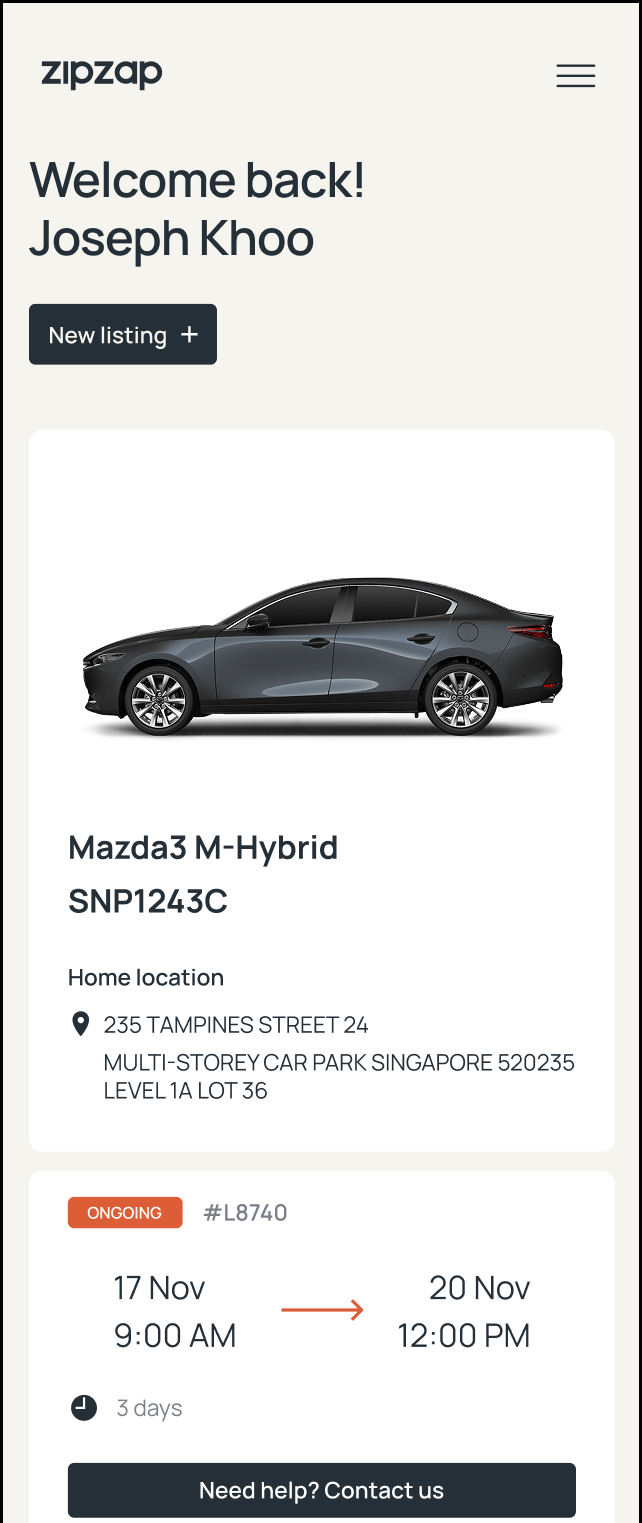
Subscriber dashboard showing an ongoing listing and two scheduled vehicle-sharing listings
A subscriber checking their upcoming car-sharing listing on the ZipZap app while packing for a trip
ZipZap web app on desktop, adding a new car-sharing listing
Subscriber dashboard (mobile) showing an ongoing car-sharing listing
A subscriber selecting dates for a new listing on their phone