Surviving Gmail and dark mode
Design Systems & DesignOps
Jan – May 2026

Discovery
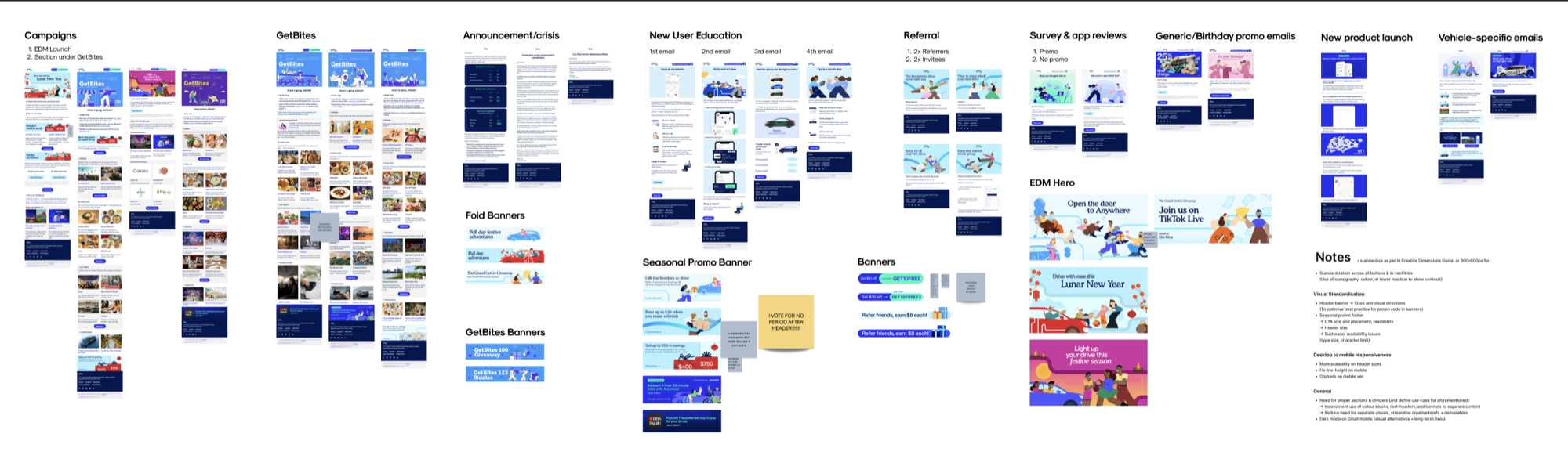
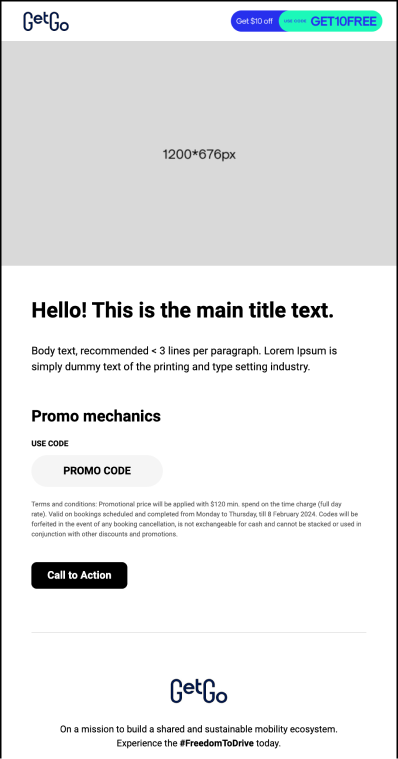
I audited six months of outbound emails and identified patterns in the components used across the different types of email categories – from headers, to vertical and horizontal columns, to CTAs, promo codes, and even spacers.
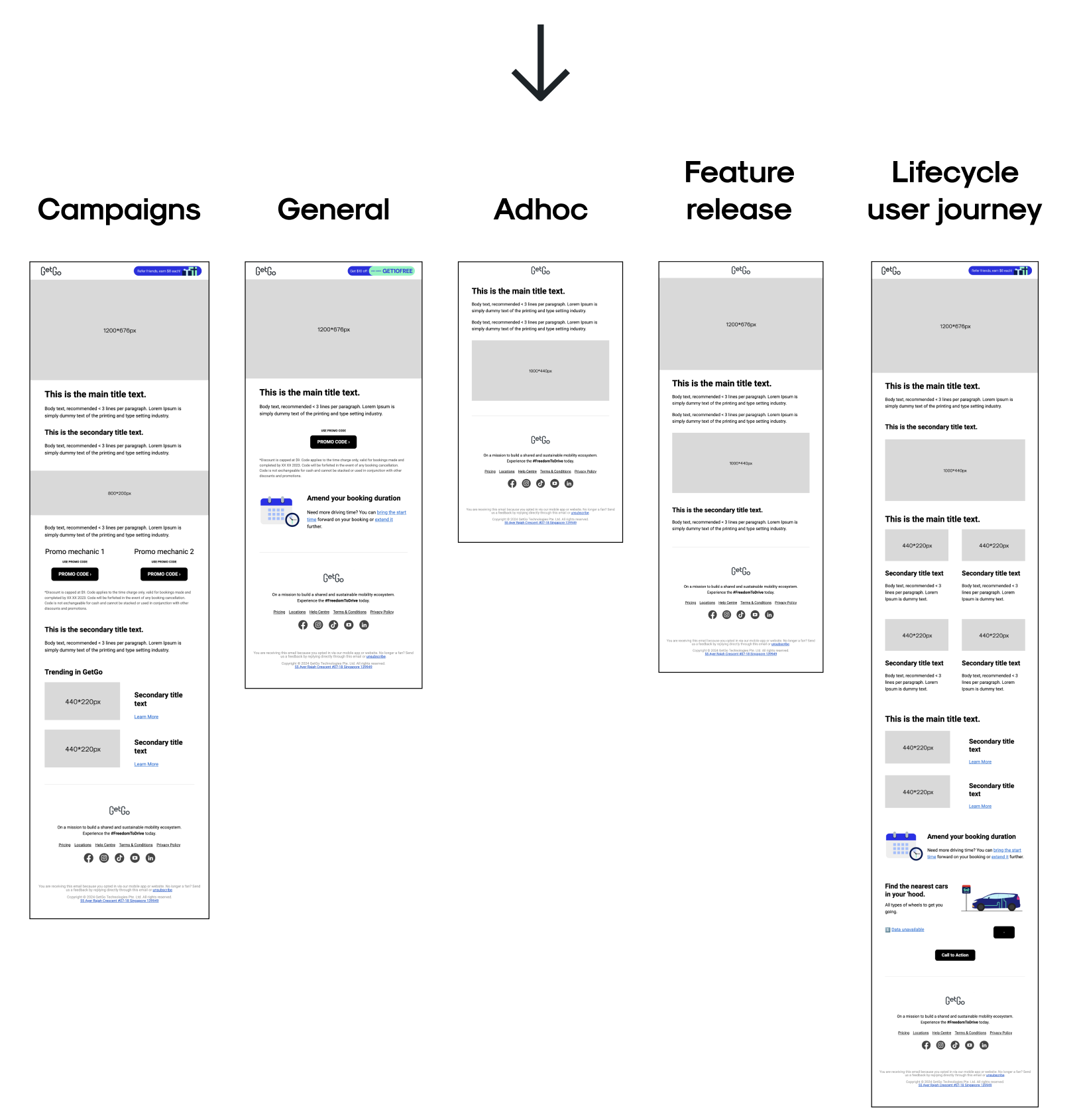
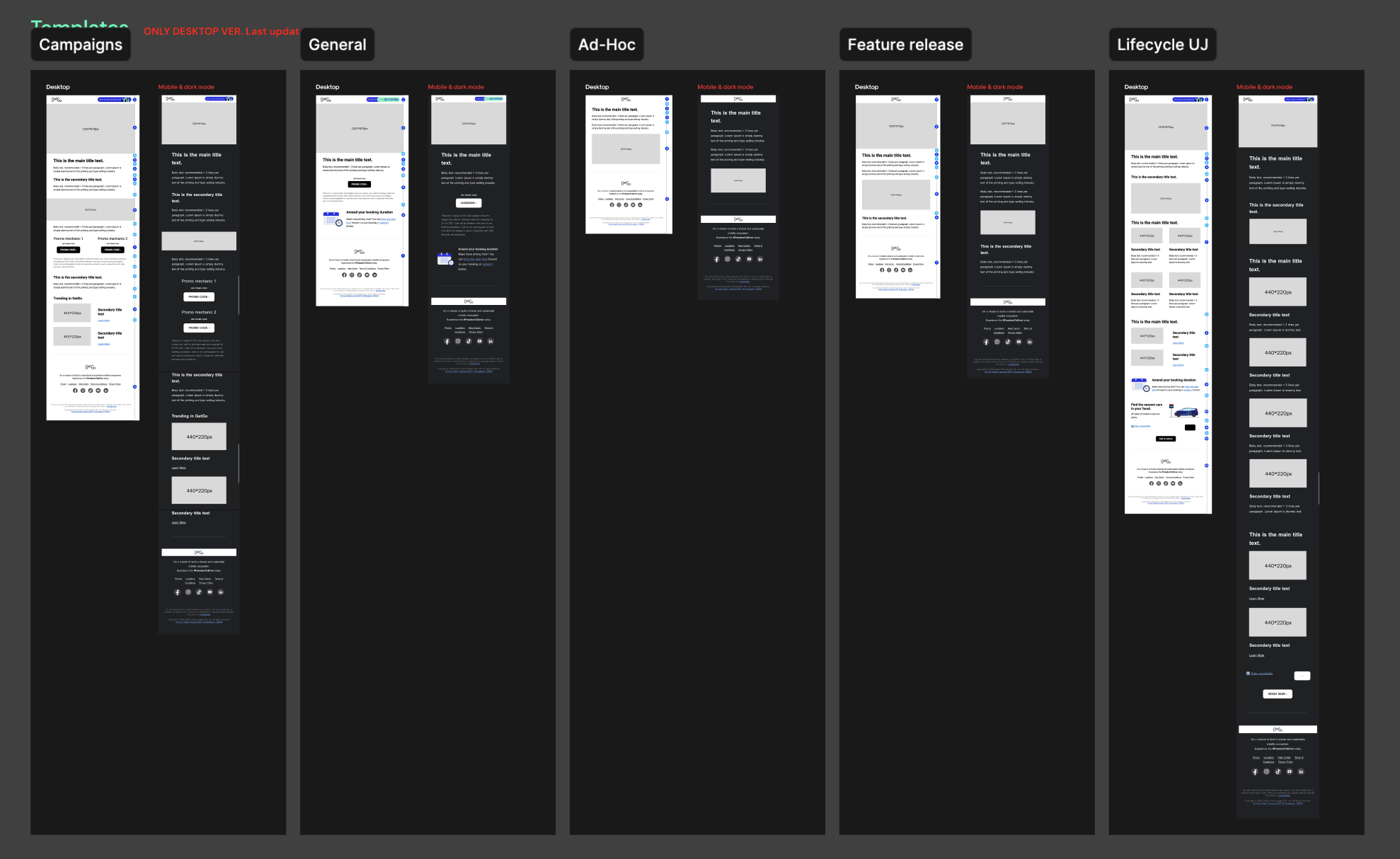
This allowed me to group certain type of content blocks together and sort the different types of emails into 5 main use-cases:
- Campaigns (seasonal and multi-layered promotional launches),
- General (single-message emails like birthday or referral campaigns),
- Ad-hoc (timely, functional comms like crisis or maintenance notices),
- Feature release (new feature or pricing announcements with educational content), and
- Lifecycle user journey (personalised flows like welcome or reactivation emails).
These components, or content blocks, became the foundation for the component library that I built on Braze.
I also used them to create email templates for the 5 use-cases mentioned, which allows emails to be built more efficiently. All the lifecycle team has to do is choose the template their matches their desired email best, and swap out the copy and images as needed. They no longer have to build emails from scratch – which previously caused the inconsistencies and opened rooms for error. Additionally, the templates reduced even the need to manually drag-and-drop the pre-built content blocks together.
Navigating technical constraints
Gmail's 102kb clipping bug
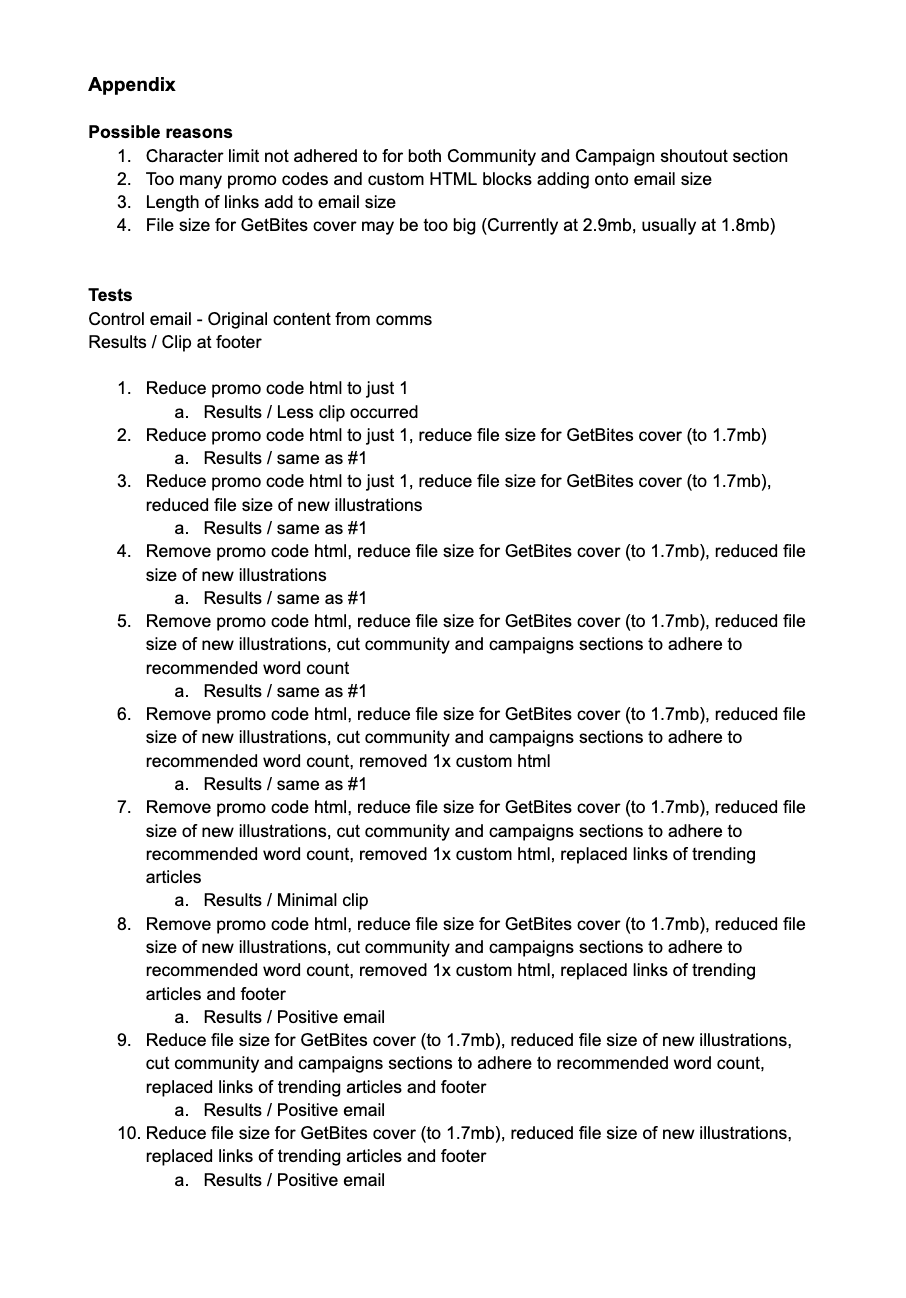
On the rollout of a new campaign template, our test email clipped before the footer, and we had to cut two sections out to get it launched on time.
Going back through it, I found out that the cause was file size – Gmail clips any email over 102kb, and ours had crept past that from auto-generated tracking footer links and an oversized cover image. Testing it section by section – swapping auto-generated links for direct URLs, compressing the cover image size, trimming copy length – I found out that the email file size is determined by the length of the email translated into plain text code.
The tests were eventually successful and got us a clean send with no clipping. Afterwards, I swapped all global content blocks (like headers and footers) with direct URLs, and sent out media and character-count limits so it wouldn't happen again.
Dark mode rendering failures
Our dark blue brand colour was inverting to purple in Gmail's dark mode, and our logo was also disappearing into the background. The inversion logic behind it wasn't documented anywhere, which made it hard to make sense of and design around with confidence.
We didn't have dev support to fix this with code, so the fix had to be a visual workaround. Instead of manually drafting countless of test emails on Braze and sending them to myself one-by-one to see how they rendered, I figured out and simulated Gmail's inversion in Photoshop instead – an Invert adjustment layer on Luminosity blend, around 80-85% opacity. That let me predict how a colour would behave in dark mode before I had to actually build it on Braze.
I considered a few ways to keep our brand colours on our emails, like limiting how much navy we used so the inversion didn't look extreme. Ultimately I recommended going fully black-and-white on our emails – we were still establishing GetGo's visual identity at the time, and I didn't want our brand colour turning into an off-brand purple every time someone opened an email on Gmail.
Logos and social icons got a white container around them so they'd stay legible in both modes regardless – addressing readability.
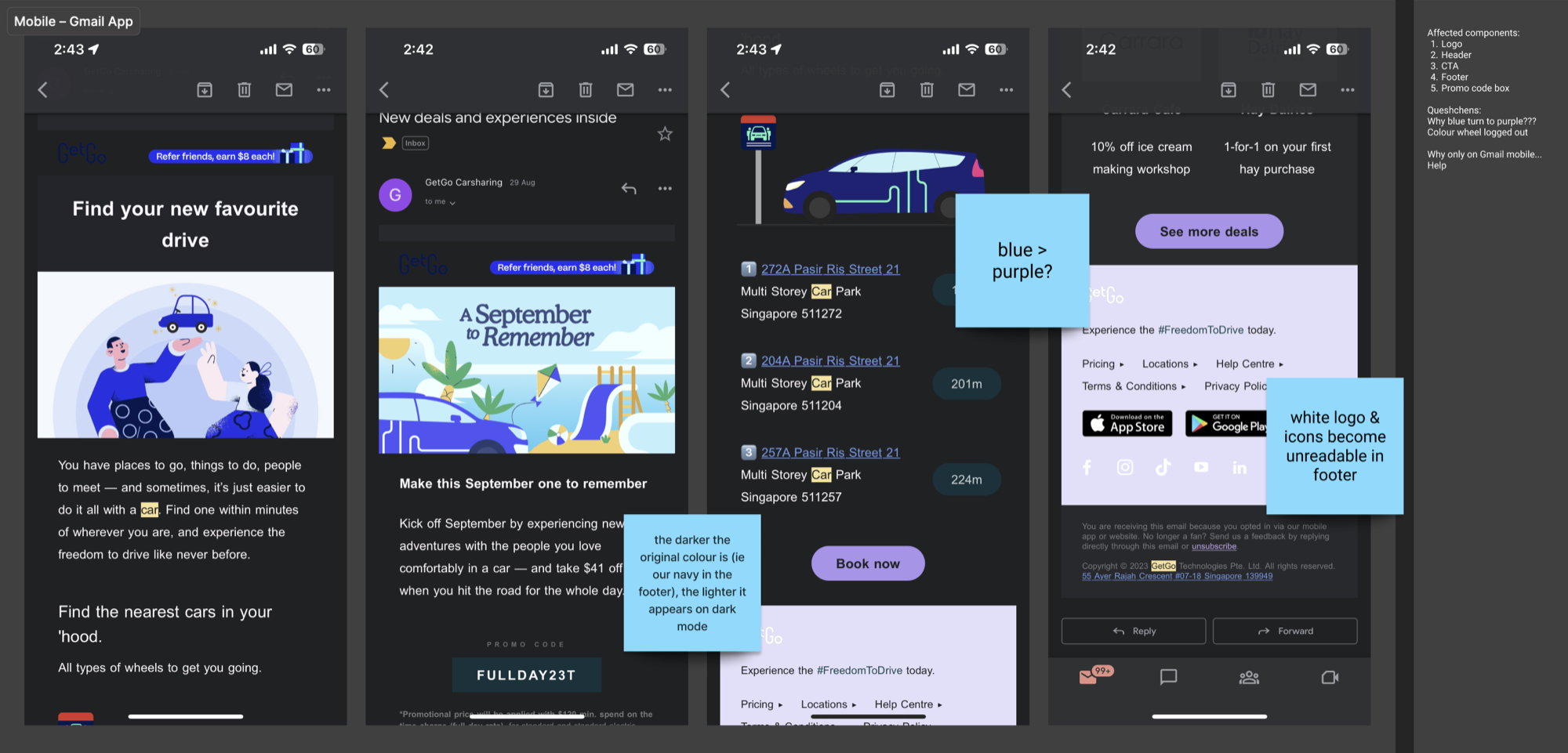

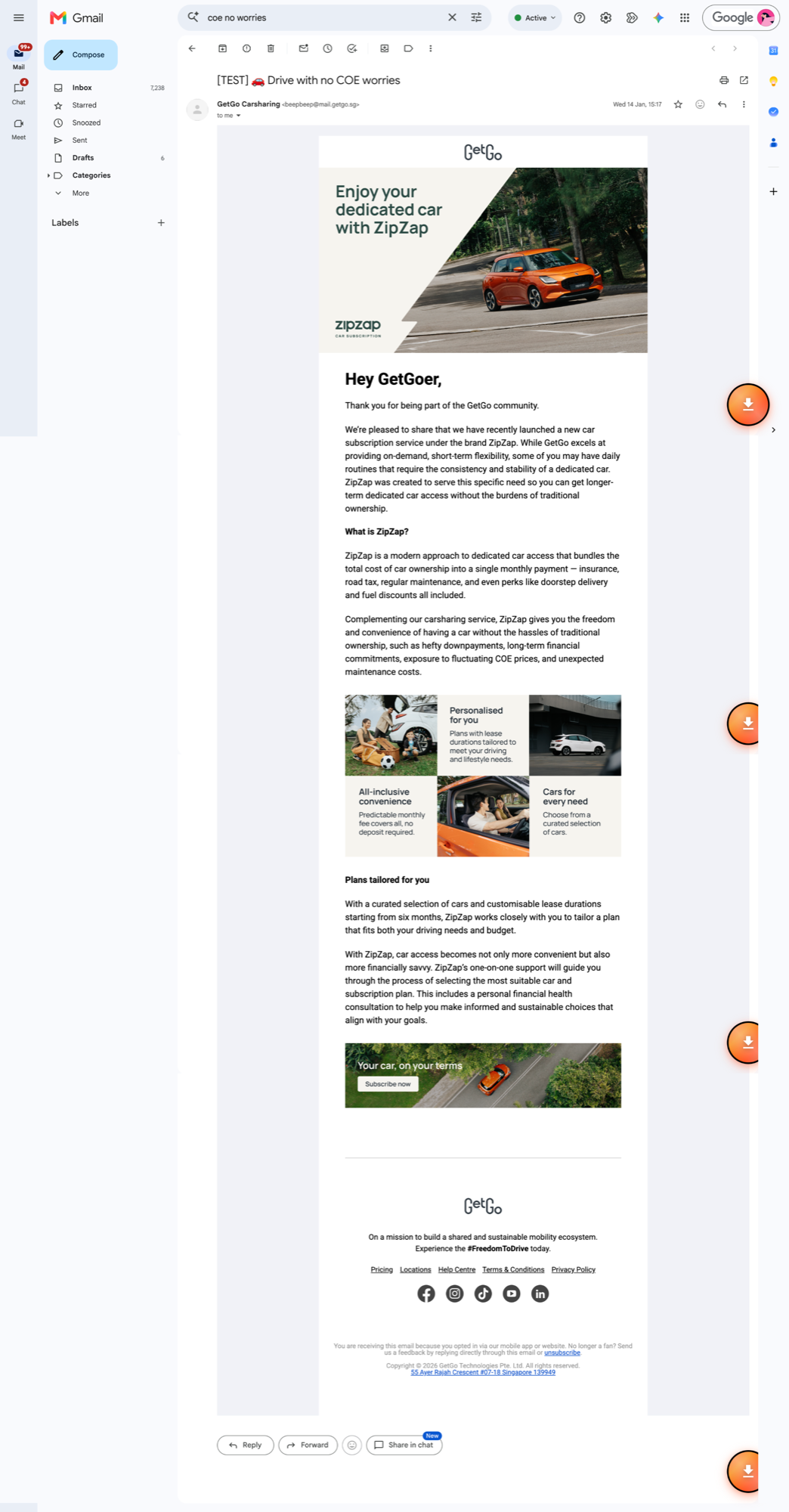
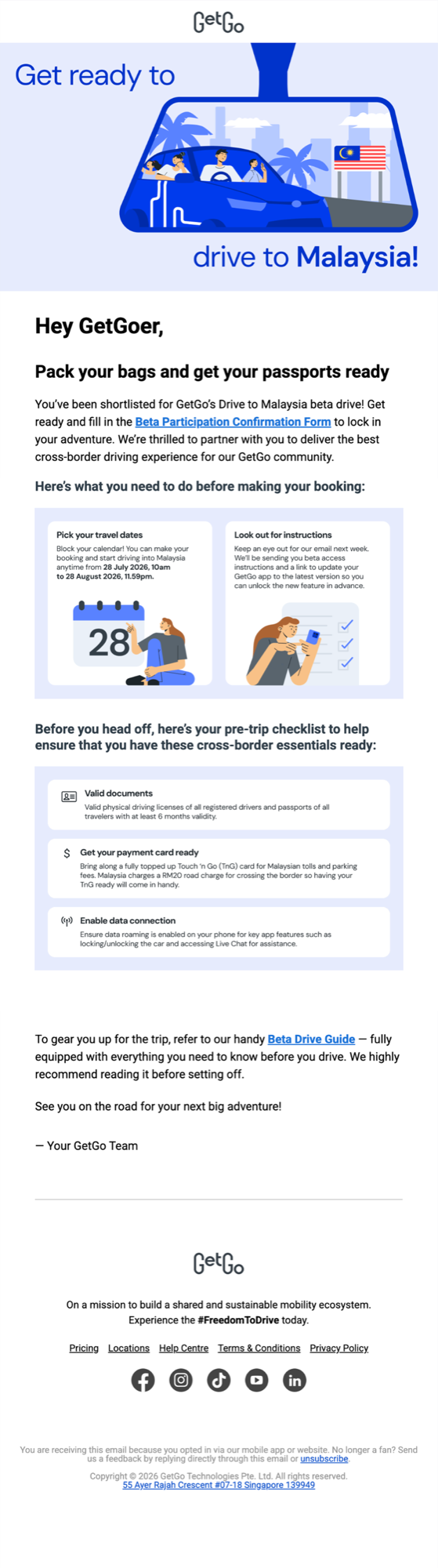

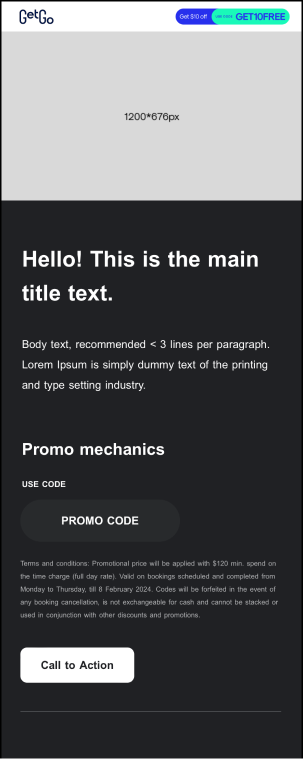
Campaign template, on desktop and on dark mode-enabled mobile
DesignOps
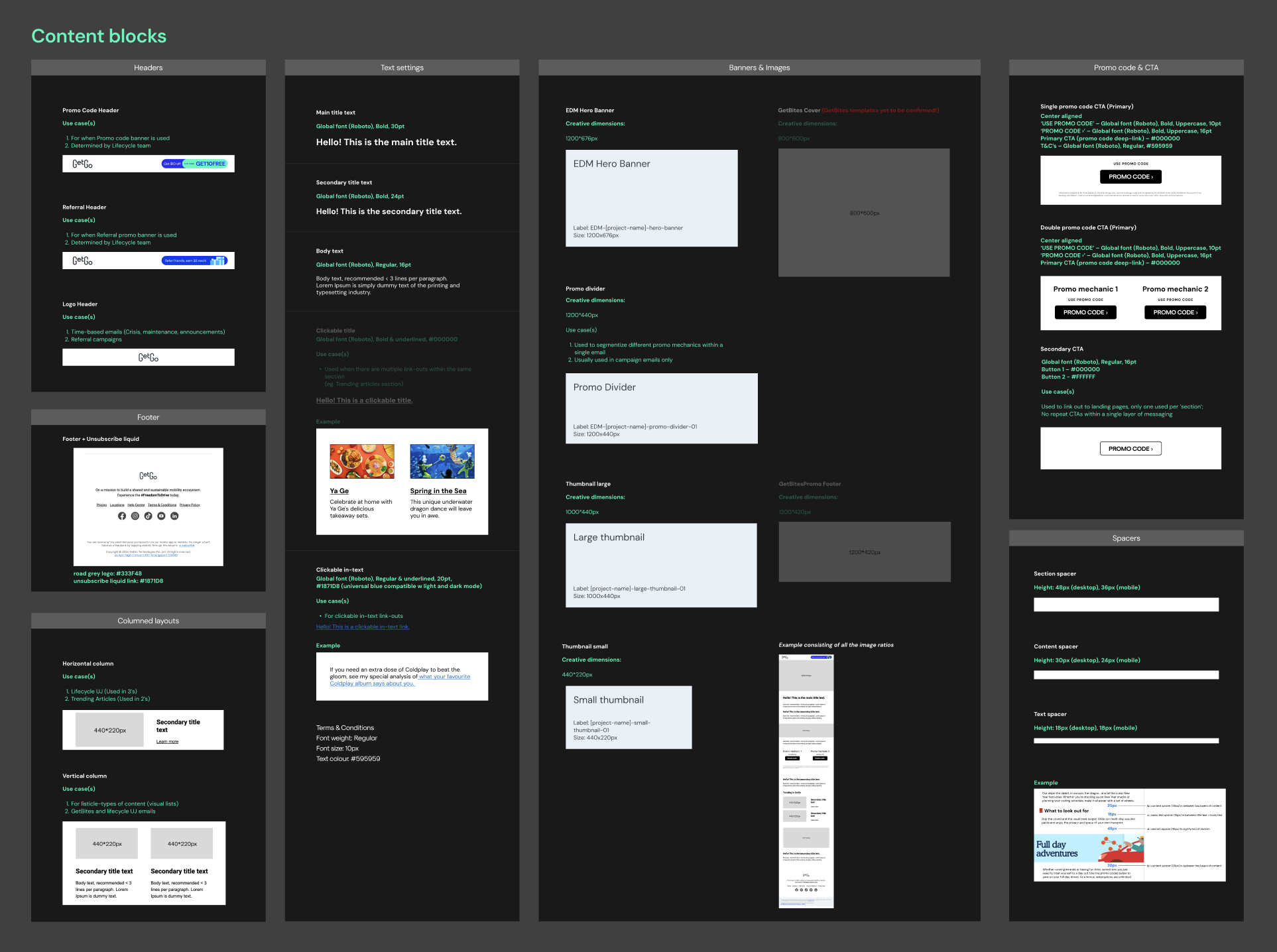
I built the component library directly in Braze as reusable content blocks – headers, hero sections, body and column layouts, CTAs, promo codes, footers, and spacers – set to fixed padding and spacing (48px section spacers, 30px content spacers, 18px text spacers). This ensured that nothing could drift out of alignment no matter who assembled it.
I documented the whole system in Figma for my own team's reference, alongside a typography system with character limits to stop overflow and broken line wraps on mobile.
Cross-team adoption
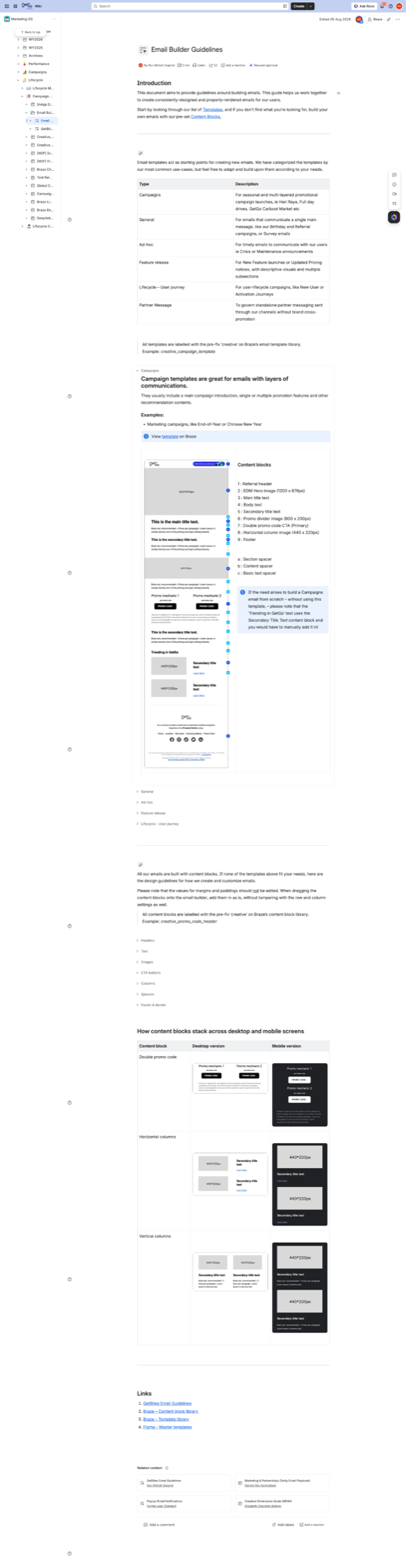
Alongside the Figma documentation, I built an Email Builder Guidelines playbook on GetGo's knowledge hub, Confluence. I mapped each template to its content blocks and use-case, and linked the corresponding items to Braze for ease of use. The purpose of this is for Lifecycle team to build and ship independently inside Braze without needing creative sign-off on every single email.
I worked closely with them through the transition from the old templates to the new system, fixing bugs as they came up along the way.
Outcome
The Lifecycle team now builds and ships every email themselves inside Braze. I no longer receive and spend a few hours each month on related support requests.
Gmail clipping was eliminated, with consistent rendering across Gmail, iOS, and dark mode.
The system has held up well past launch, with no design team involvement needed to keep it running.
Final thoughts
I would have preferred for engineering support on custom HTML overrides instead of solving dark mode through a purely visual workaround. While the solution works and keeps our emails looking sleek regardless of what mode the device is on, the issue is a technical rendering gap and could potentially be solved more gracefully with more support and resource given to the project.
Regardless, this project was my first look into design systems, and taught me a lot of what I know about scalability and atomic design.